

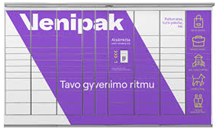
How to send a parcel via Venipak parcel locker?
A simple and clear step-by-step guide for convenient shipping via Venipak self-service terminals with Couriers for Less.
Register your parcel online
Fill in your shipping details on the Couriers for Less website. Venipak often offers the lowest price, making it a great choice for those looking to save.
IMPORTANT: Print the label
Unlike other networks, Venipak parcel lockers do not have a label printing function. Print the received document yourself and stick it firmly onto the package before going to the terminal.
Go to the Venipak parcel locker
On the parcel locker screen, select the main menu option "Send parcel".
Scan the prepared parcel
Scan the barcode on the package. The system will recognize your order and automatically open a locker door of the required size.
Place the parcel inside and confirm
Place the parcel inside, close the door, and complete the process on the screen. Your parcel is ready for its journey!
Why choose the Venipak parcel network?
Venipak is one of the fastest-growing logistics networks in the Baltic States, offering highly competitive prices for both private and business customers. When using the Couriers for Less platform, Venipak services become even more accessible. Although this network requires attaching the label in advance, it ensures an even faster parcel drop-off process at the parcel locker itself.