

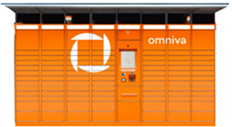
How to send a parcel via Omniva parcel locker?
A simple and clear step-by-step guide for convenient shipping via Omniva self-service terminals with Couriers for Less.
Register your parcel
Fill in your parcel details in the Couriers for Less system. If you do not have a printer at home, be sure to select during ordering:
Prepare your parcel
Pack your parcel securely. If you chose to print the label at the parcel locker, you do not need to write anything on the package – you will receive the label at the terminal using a special code.
Go to the parcel locker
On the Omniva parcel locker screen, select your preferred language and press "Send parcel", then select "Pre-prepared parcel".
Print the label
Enter the parcel number you received or scan the QR code. The terminal will print the label. Stick it firmly onto the top of your parcel.
Place the parcel in the locker
Scan the barcode on the attached label. Once the locker door opens, place the parcel inside, close the door, and confirm the action on the screen.
Useful information about Omniva parcel lockers
The Omniva parcel locker network operates 24/7, so you can send your parcels at any time convenient for you. When using Couriers for Less, the shipping process becomes even simpler: you don't need to worry about printing a label at home, and parcel tracking lets you follow every stage of its journey right into the recipient's hands.