

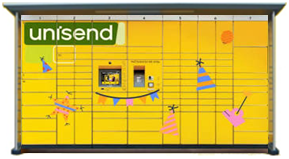
How to pick up a parcel from a UNISEND parcel locker?
A simple and clear step-by-step guide for convenient parcel pickup through UNISEND self-service terminals with Couriers for Less.
Receive the PIN code
Once your parcel reaches the parcel locker, an SMS message with a 6-digit PIN code will be sent to your phone number.
Go to the terminal
On the terminal's touchscreen, select your language and press the main button "Pick up parcel".
Enter the received code
Enter the PIN code received via SMS message in the window that appears on the screen.
Take your parcel
Once you enter the correct code, the door will open automatically. Take your parcel and firmly close the door until you hear a click.
Important information about storage
UNISEND stores parcels in the terminal for 72 hours (3 days). If the parcel is not picked up within this period, it is returned to the sender. By using the Couriers for Less platform, you will always see the latest information about your parcel's status and can send through the largest parcel locker network at the most favorable price.